Focus!
I co-led the development of Focus!, a social productivity app built for ambitious students. As Product Manager & UI/UX Designer, I drove our MVP definition, shaped strategy, and managed design, turning research into real, user-focused solutions.
Scope
UI/UX, Product End-to-End Journey, GTM, Marketing, Swift
Year
2023-2025
Timeline
4 Semesters
Focus! A social productivity app.
Over four semesters and five project phases, I worked with a team of developers and marketers, and I steered product direction, conducted four rounds of user research, and translated feedback into an engaging, high-fidelity prototype. Want the full inside look at my process, pain points, and design decisions? Scroll to see how I made productivity feel empowering, not isolating!
Phase 1: Ideation & Conceptualization
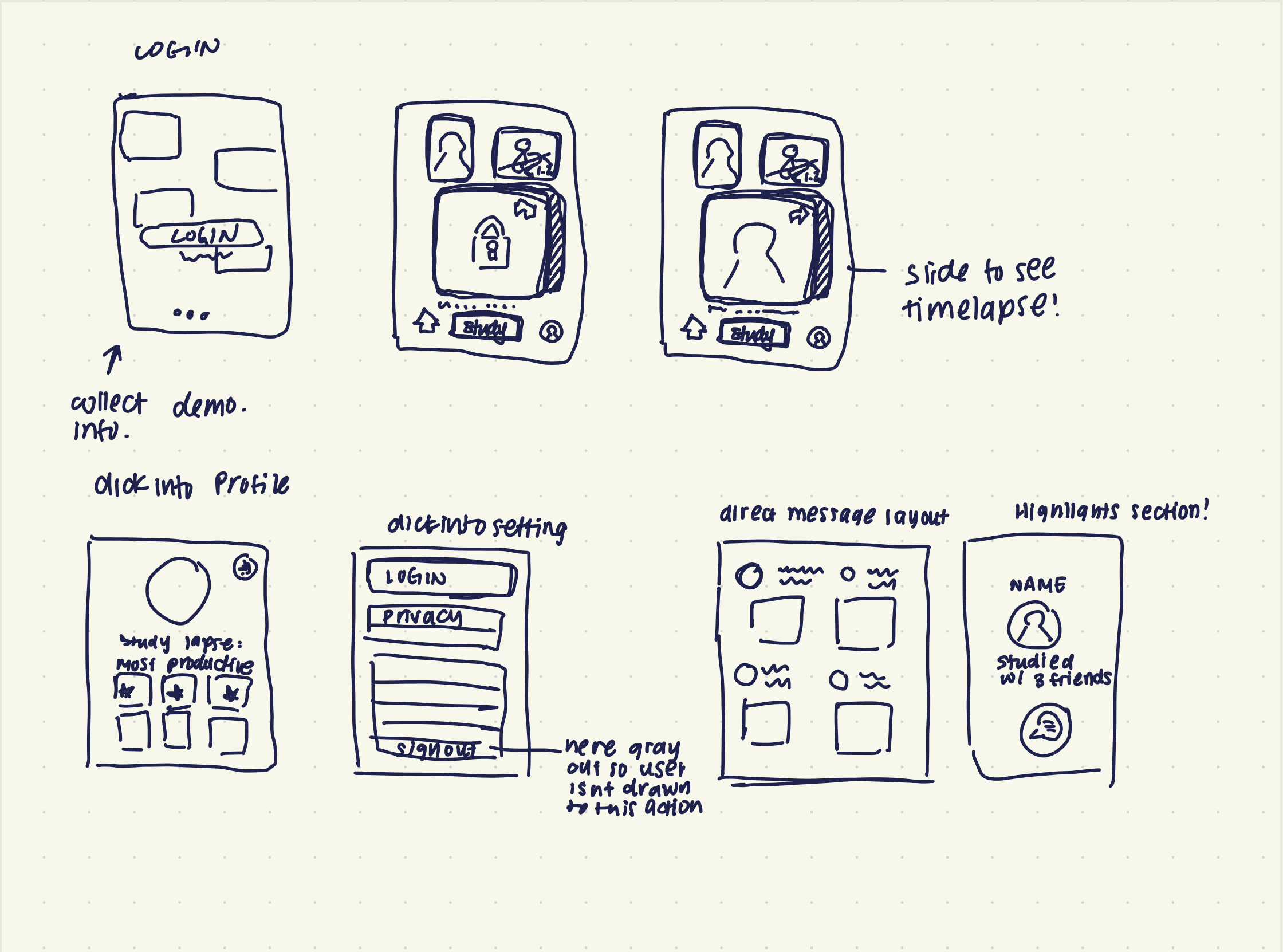
We wanted to build something that made working actually feel rewarding. Our first brainstorm came up with a wild mix of features. I kept simplicity and user flow in mind and sketched a prototype, focused on fun, flexible flows. That’s when I started trimming features and focusing on user motivation, not restriction.
Deliverables here: Creative Brief.
Phase 2: User Research & Market Analysis
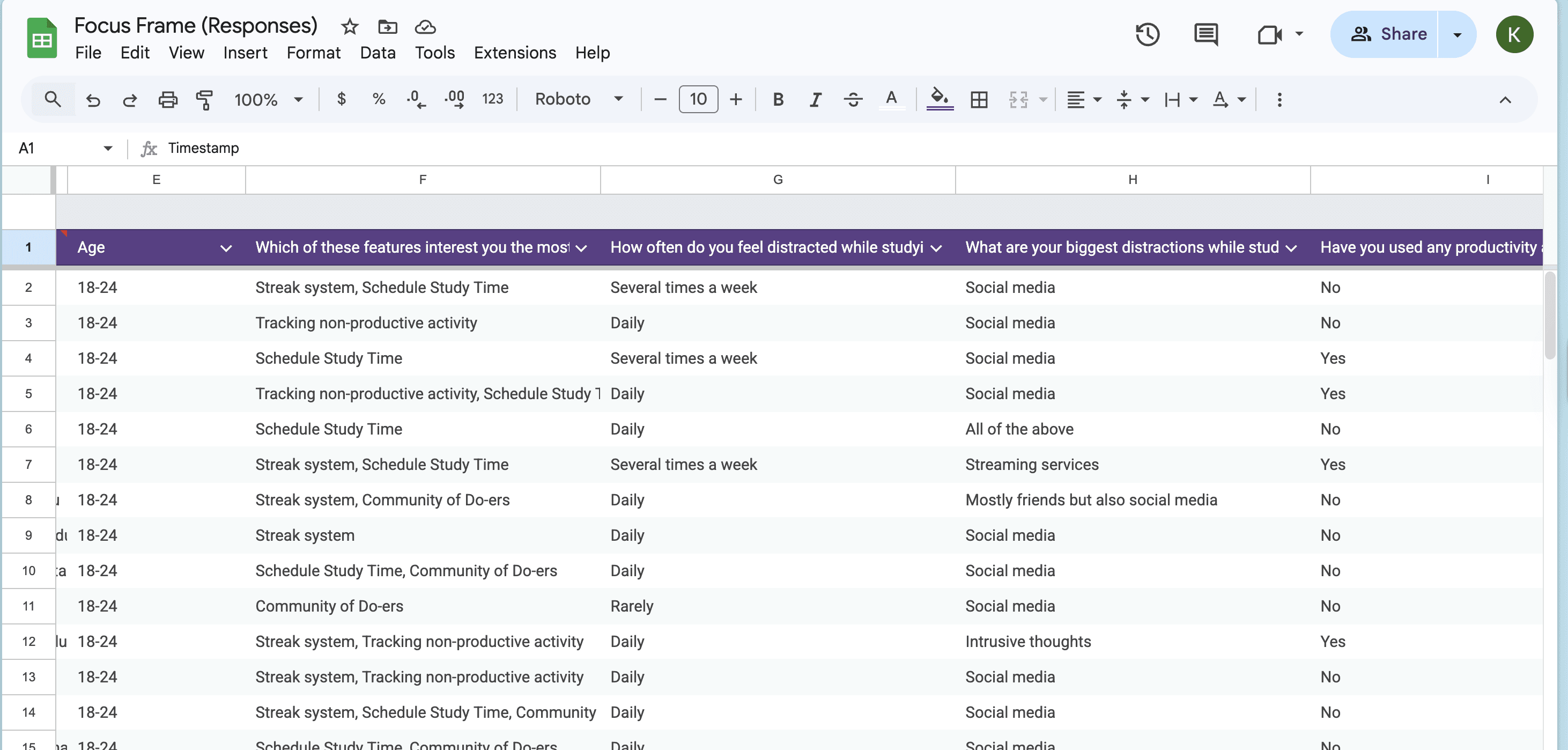
I worked closely with my team to design our user testing survey questions and Google Forms. We went through 4 stages of user-testing to ensure Focus complies with user expectations all the way through. I focused on avoiding framing bias. My goal was to collect clean, unbiased data that would allow us to develop a clean analysis of user expectations. I also distributed the surveys by leveraging my personal network, which helped us gather our first 30% of responses.
Tools used here: Google Forms, UserTesting.com, Competitive Analysis
Phase 3: MVP & Feature Prioritization
Our feature brainstorming sessions were intense (and honestly, way too ambitious at first). Everyone had ideas, but I noticed users kept mentioning they wished studying felt more connected and rewarding, so I pushed for streaks and time-lapse capture. At first, we wanted a strict lockout feature to keep users focused, but feedback showed it was too restrictive and didn’t fit real student needs. Instead, we pivoted toward customizable ‘Allowed Apps’ and built our MVP around the features users actually valued, inspired by social platforms but tailored for focus.
Deliverables here: MVP, GTM Strategy
Phase 4: Design & Prototyping
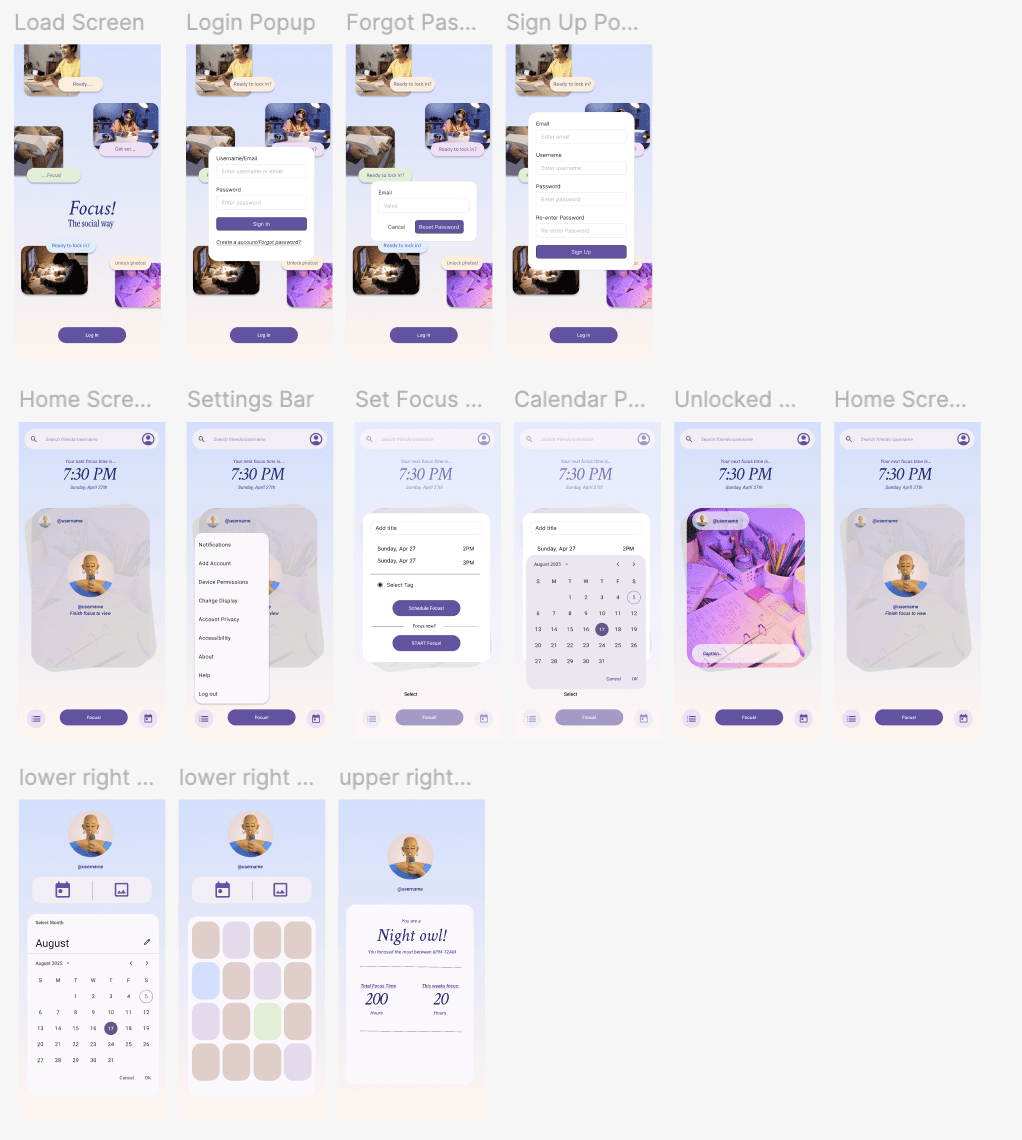
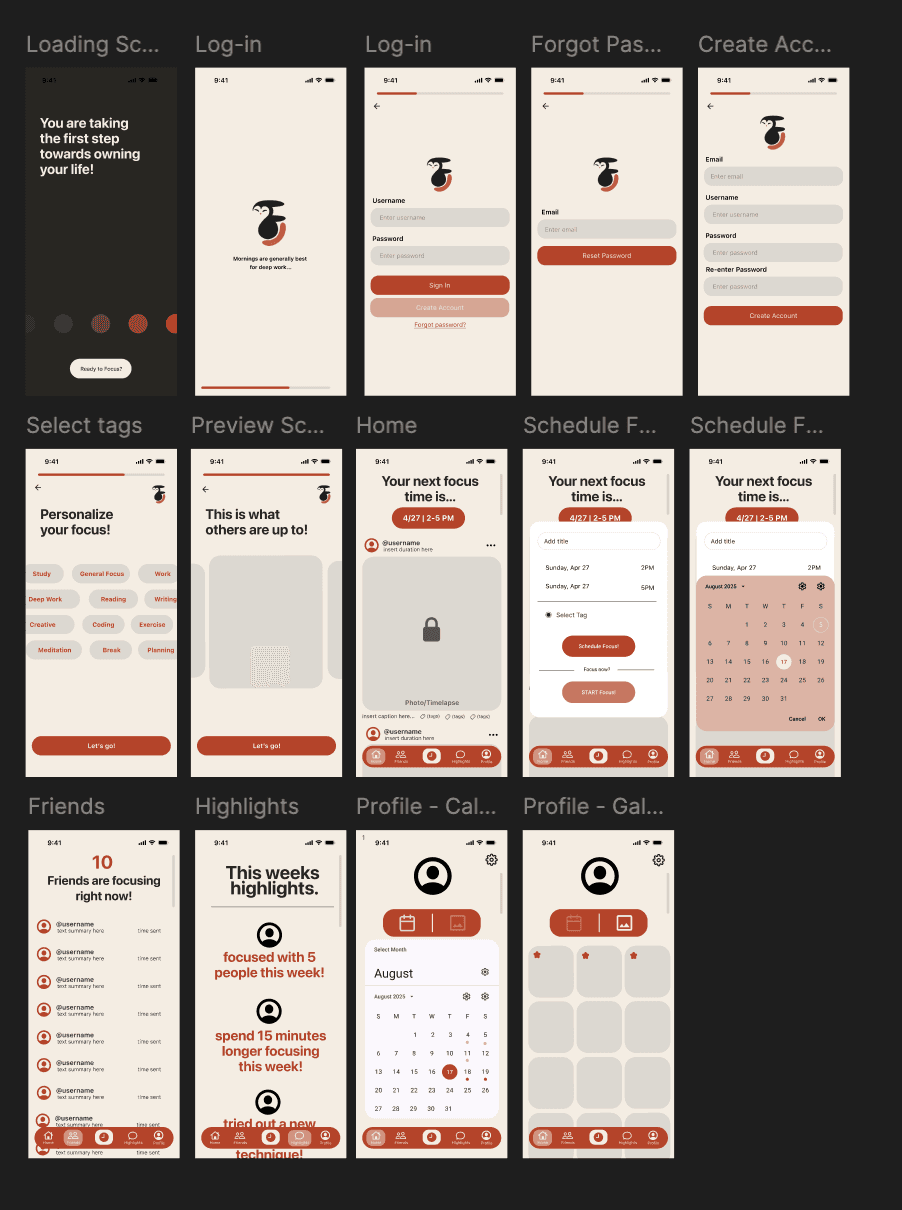
I wanted Focus to feel easy and intuitive to make, and kept in mind the philosophy, “don't make the user think.” After sharing our initial purple designs in in-person user sessions, I learned the color didn’t energize users the way we intended. Based on their feedback and real consultations, I pivoted to an orange palette that better aligned with our productivity goals. I designed the logo, architected the primary user flow on Google Docs, and mapped out the journey on Figma.
Deliverables: Figma Wireframe, Logo Design
Phase 5: Launch & Reflection
Because we planned to deploy on iOS, I leveraged my knowledge of Swift and Xcode to prototype custom components that gave the app a more specialized feel. As we approached launch, I helped refine our back-end integration plan. We chose Firebase for its scalability and ease of use. Integrating Firebase enabled seamless storage and retrieval of photos and videos, which was essential for our core features. I learned how to collaborate effectively in an agile environment with a diverse team of developers, marketers, and database experts. The next step would be to secure a budget to conduct more thorough user research, significantly increase our sample size, and increase the quality of our research. In the future, I want to spend more time testing UI patterns with UserTesting to receive interactive feedback on stages of development.